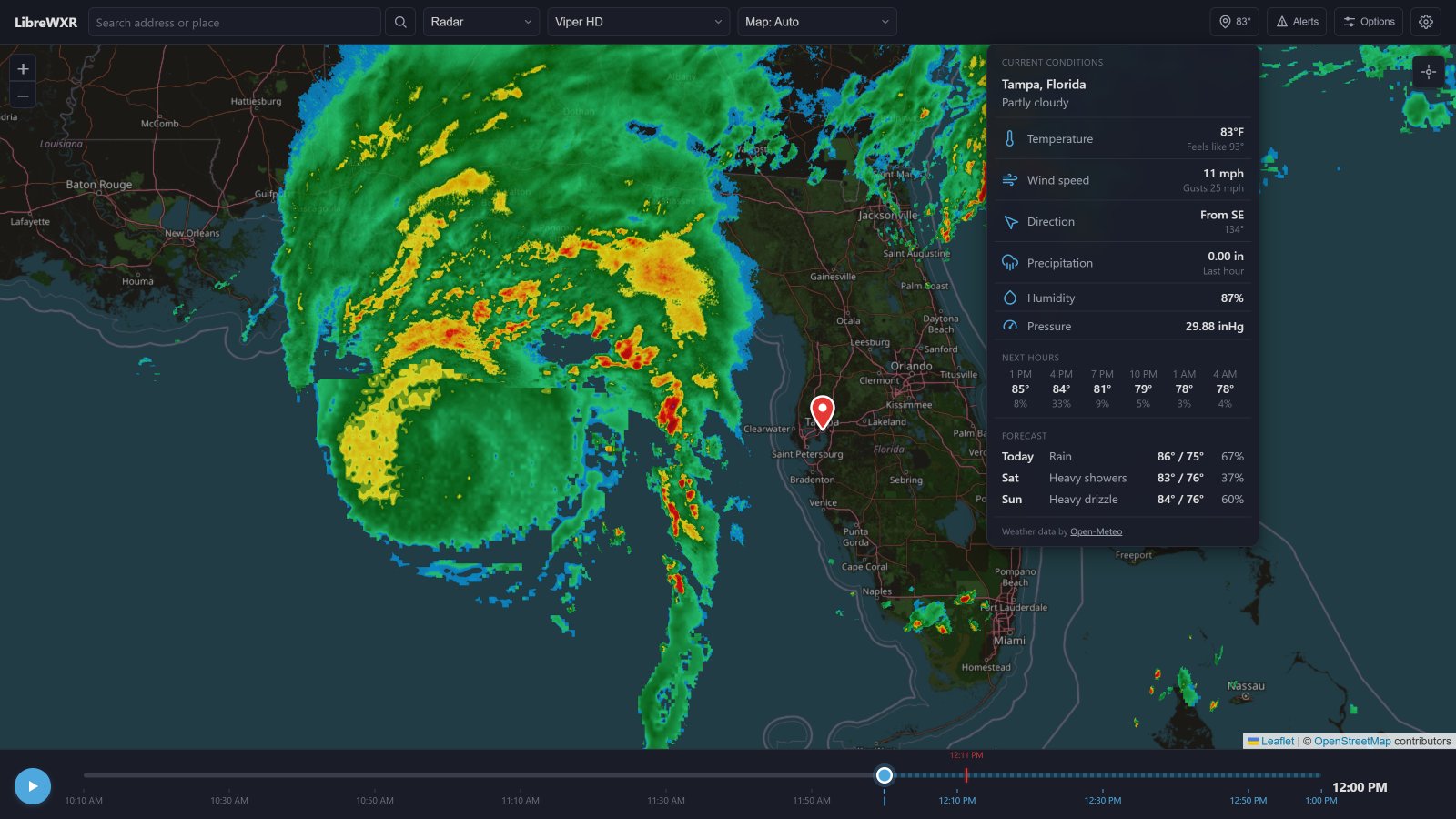
My son has really been into weather patterns lately, like REALLY into weather. We’ve spent hours reading different books that we picked up from our local library. Between tornados, hurricanes, thunder storms, cloud formations, and even stretching into how volcanoes go boom. He even got into a really big Luke Combs - Ain’t No Love In Oklahoma kick once he saw the Twisters: The Album cover show up on our Google Home Hub. Keep in mind that he’s still young, but this definitely sparked an interest that we’ve been chasing for the past year or so now.
This leads us into how I got myself into finding a self hosted radar solution. The internet as we know it has never been a really safe and child sensitive location, especially for sites that either shared local news stories or posts ads to help pay for server costs.
I already had the start of a local Homelab that I’ve been tinkering around with for awhile. A simple Unraid server running AdGuard Home, Plex for some personal home videos of family vacations that I converted from VHS to Digital, and a few odds and ends to help back it up. Unraid allows me now to spin up any container easily for my whole network to see and keeps it isolated so I can control the content that’s on it until I’m ready to set my little bird free.
My son asked me to build a weather channel, which took me a little bit to understand what he was asking for. After some long winded conversations on what he’s looking for, I decided to start poking around to see what was already out there.
That led me to find LibreWXR Leaflet Viewer example! LibreWXR is a free, open-source weather radar API you can host yourself. It's a drop-in replacement for Rain Viewer with real radar composites, always-on global observed precipitation (NOAA RRQPE), a chain of regional high-resolution NWP models, ECMWF IFS as the global model layer, global WMO weather alerts, and GOES GLM lightning strikes.
This was the perfect starting place for me to get running locally and see how it functions. The package is meant to host your own open-source weather radar API, but also came with the option to pull from a public source with no need to actually self host the data. This actually saved me a ton of resources as the models it was running were quite memory intensive, as my Unraid machine is just an old desktop that I threw together off of my old computer parts that were laying around.
After trimming everything down to just the example, I dug into the HTML file and started making some adjustments. I extracted the inline CSS and JS into their own files, created a compose.yaml file to run on Dockge in Unraid, and started adding features once I had a good base to work with.
The first feature I wanted to add is a pinned address, to always allow the same location to be shown near our house. This became an issue as soon as I wanted to move this to a public repo, but that was easy enough to solve by recreating the repo and recreating the commits with that data omitted.
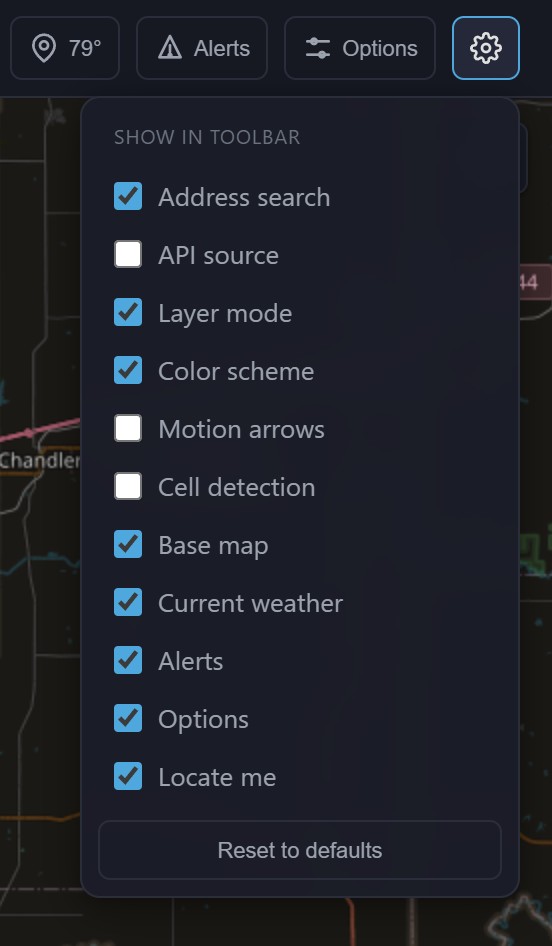
There were a few items that were cool to have within the Leaflet example, but wouldn’t make sense for a kid to have access to. I extended the template to have a dropdown that allowed me to hide visible toolbar options and saved to local storage. This way whatever I changed persisted when we’re doing our searches.

I added an address search bar, that would allow us to do a search for any city and attempt to jump the map to it to check out the weather. I’m looking at you, Oklahoma.
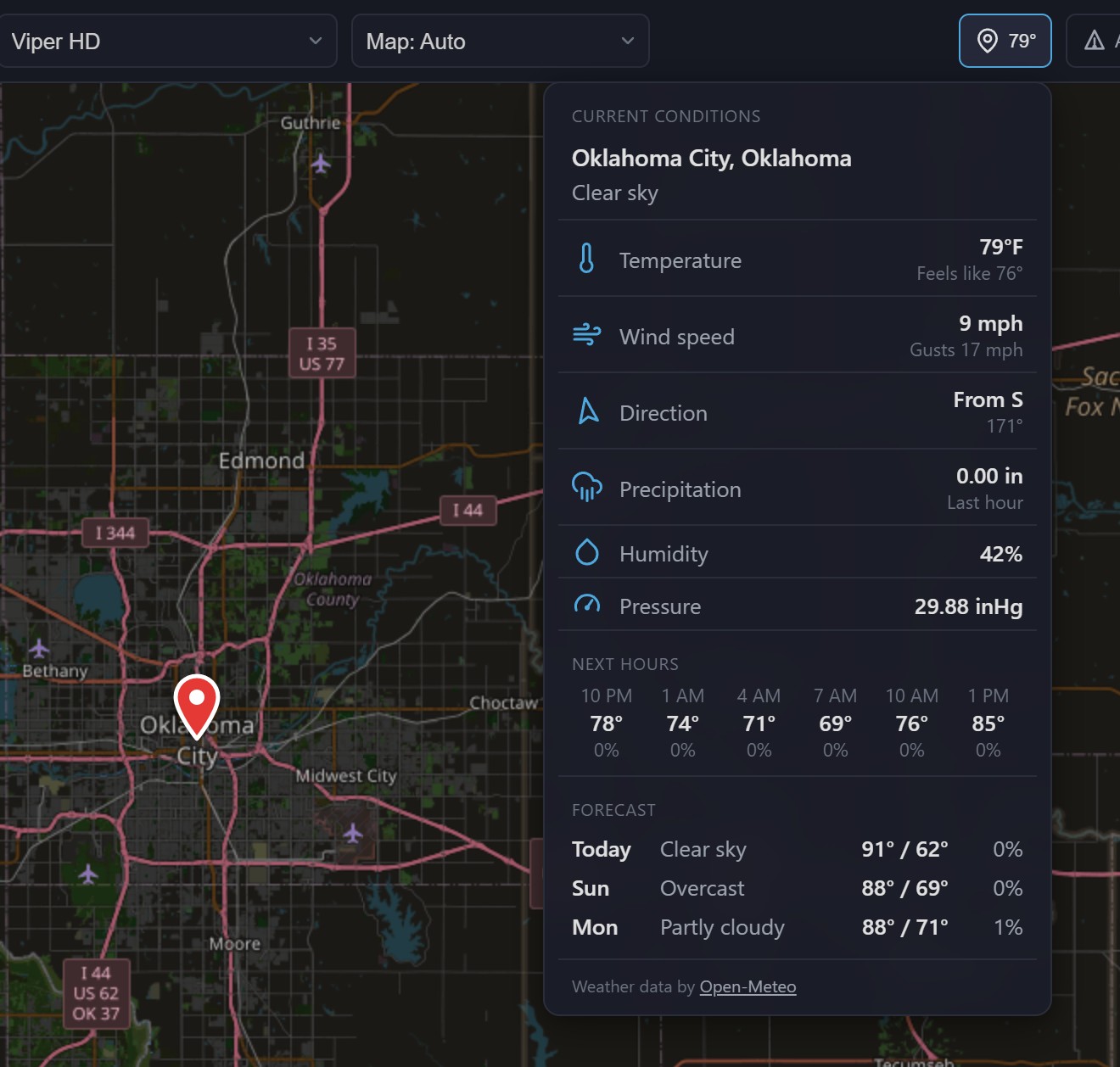
Naturally, it made sense to pull in Open-Meteo to see the weather forecast, current temperature, wind speed and direction, precipitation, humidity, and pressure. The first few iterations failed my own manual local UX testing, as the thought of clicking on a given point on the map would be a good idea. In reality, any click action didn’t work well with an interactive map and I wasn’t considering mobile at the time. I decided to move this data into a fixed dropdown within the header that would only be updated upon the next successful address search.
Once I got this to a good point of where we’re using it pretty much daily, I figured I’d get out of my habit of making every repo private and share what I’ve done and will keep adding features as my family requests them.